TraderTape Wealth
Your entire financial life in one Google Sheet — mutual funds, stocks across every demat account, FDs, PPF, EPF, insurance, bank accounts, property, and loans — consolidated into a live dashboard, with everything your family would need if something ever happened to you.
Everything stays in your Google Sheet, in your Google Drive.
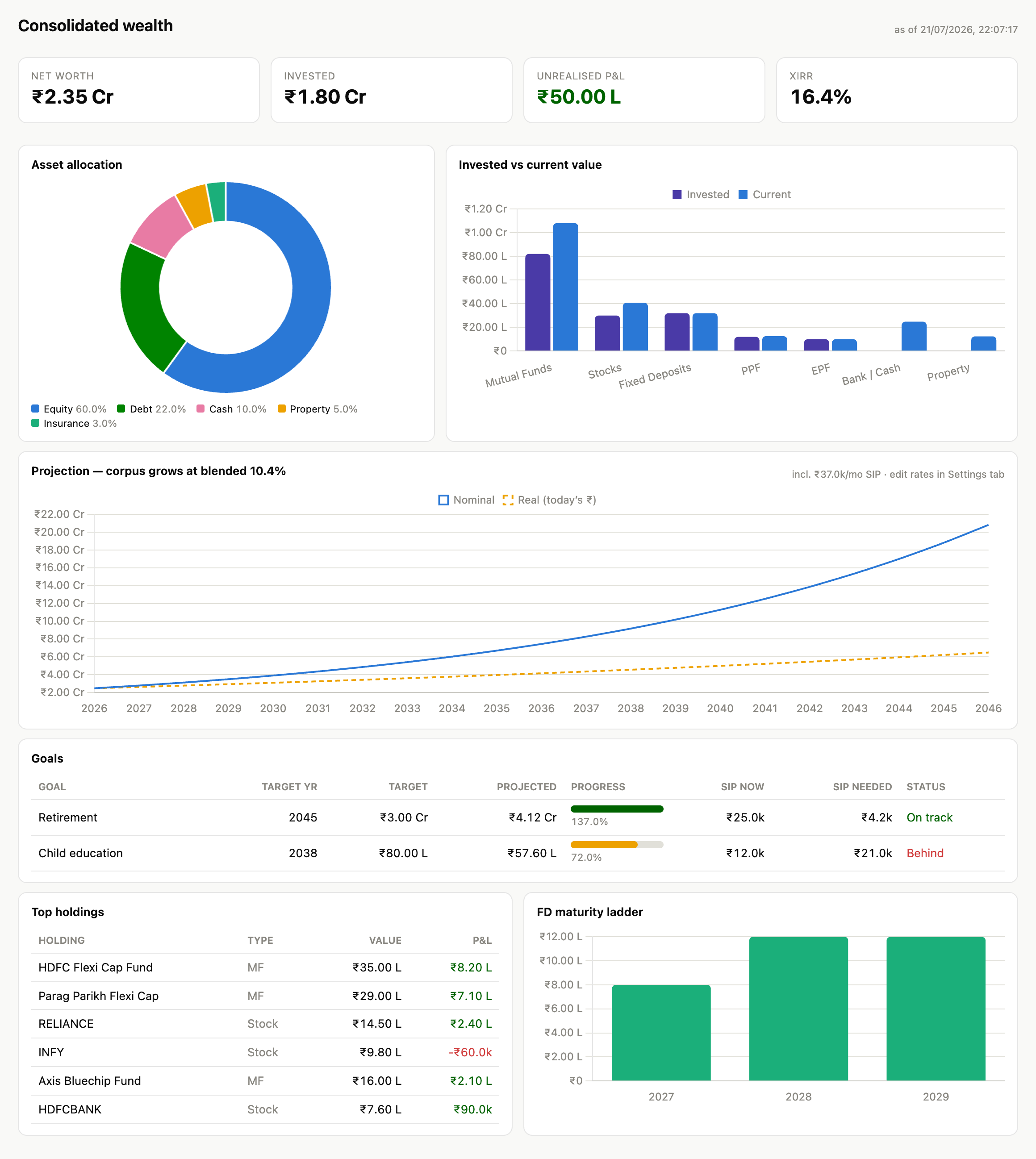
What you can do#
- Track everything in one place — a single tab per asset class, and a dashboard that shows your net worth, allocation, returns (XIRR), and long-term projections.
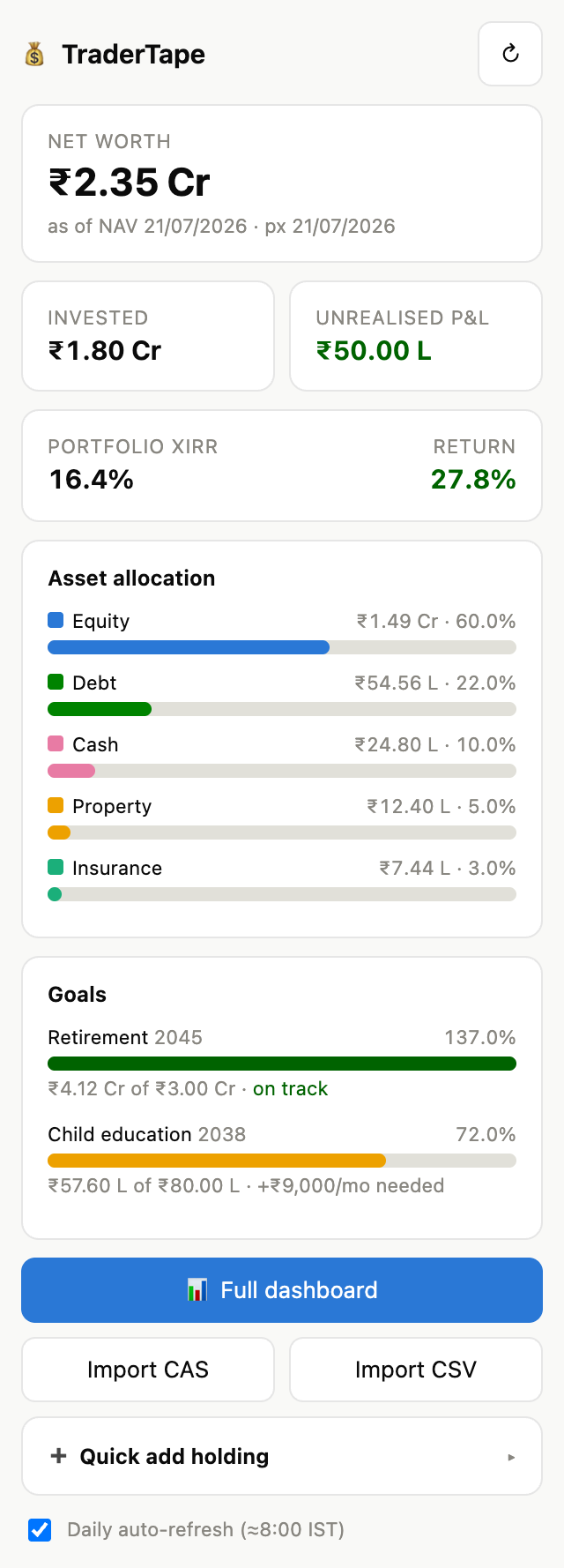
- Import your CAS statement — NSDL/CDSL and CAMS/KFintech PDFs (even password-protected) are read in your browser and fill your tabs automatically, neatly grouped by demat account.
- See live values — mutual-fund NAVs and stock prices refresh automatically.
- Plan for goals — track how each goal is progressing and the SIP needed to get there.
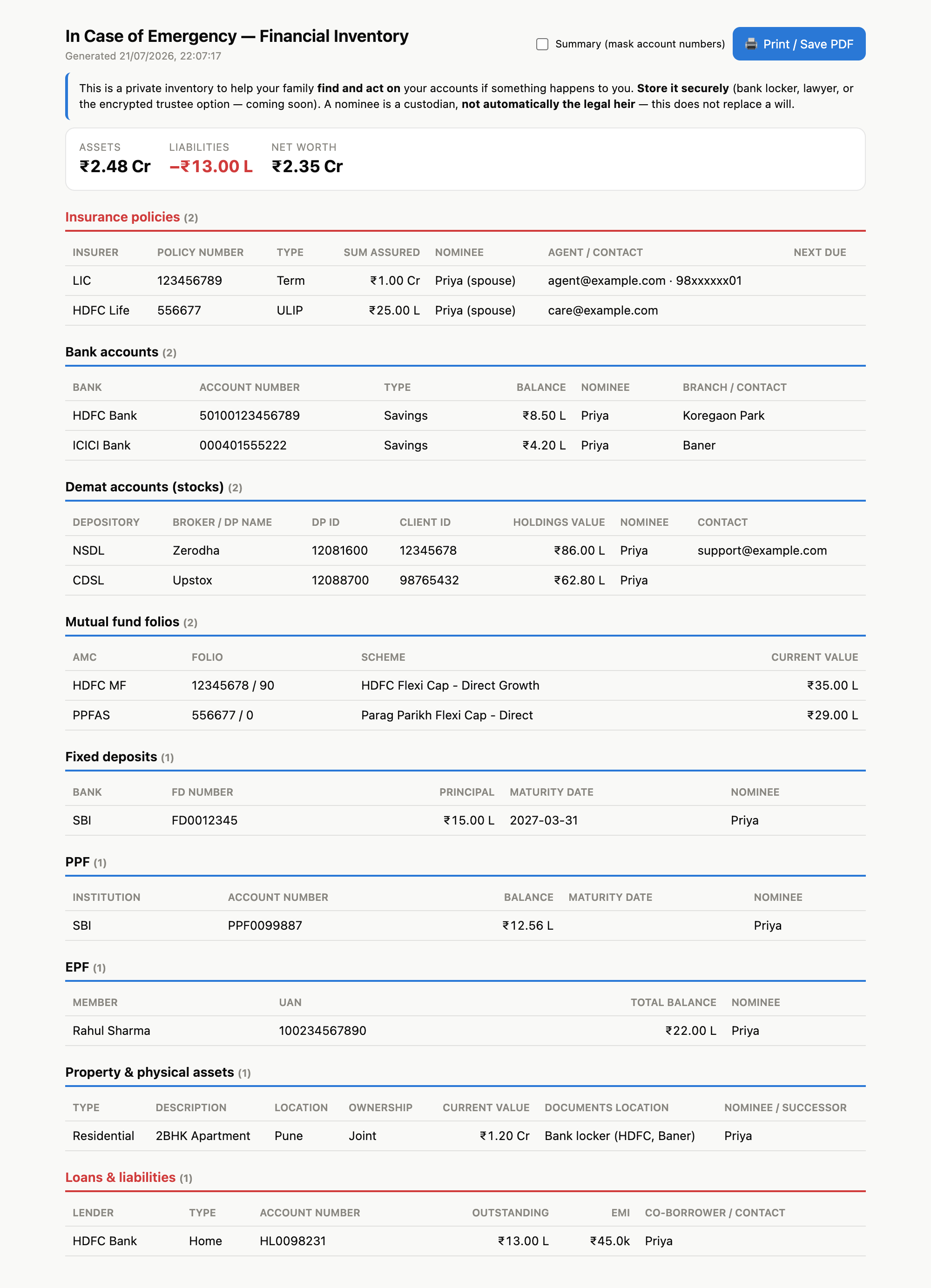
- Prepare for the unexpected — record nominees and contacts, print an "In Case of Emergency" inventory, and create an encrypted report only your trusted people together can open.
Track and act from a sidebar right inside your sheet, and prepare a complete "In Case of Emergency" inventory for your family:
Private by design#
Your financial data never leaves your Google account. PDF statements are read on your own device — never uploaded. The encrypted family report is scrambled in your browser with a key that no server, and no single person, ever holds.
Get started#
- Open your TraderTape Wealth sheet.
- Use the 💰 TraderTape Wealth menu → Set up / repair tabs.
- Import your CAS statement, or add holdings from the sidebar.
→ Full walkthrough: User Guide.
Learn more#
- User Guide — every feature, step by step.
- Estate & legacy planning — protect your family, in detail.
- Guides for your family & trustees — printable, plain-language.
- Privacy Policy · Terms of Service